
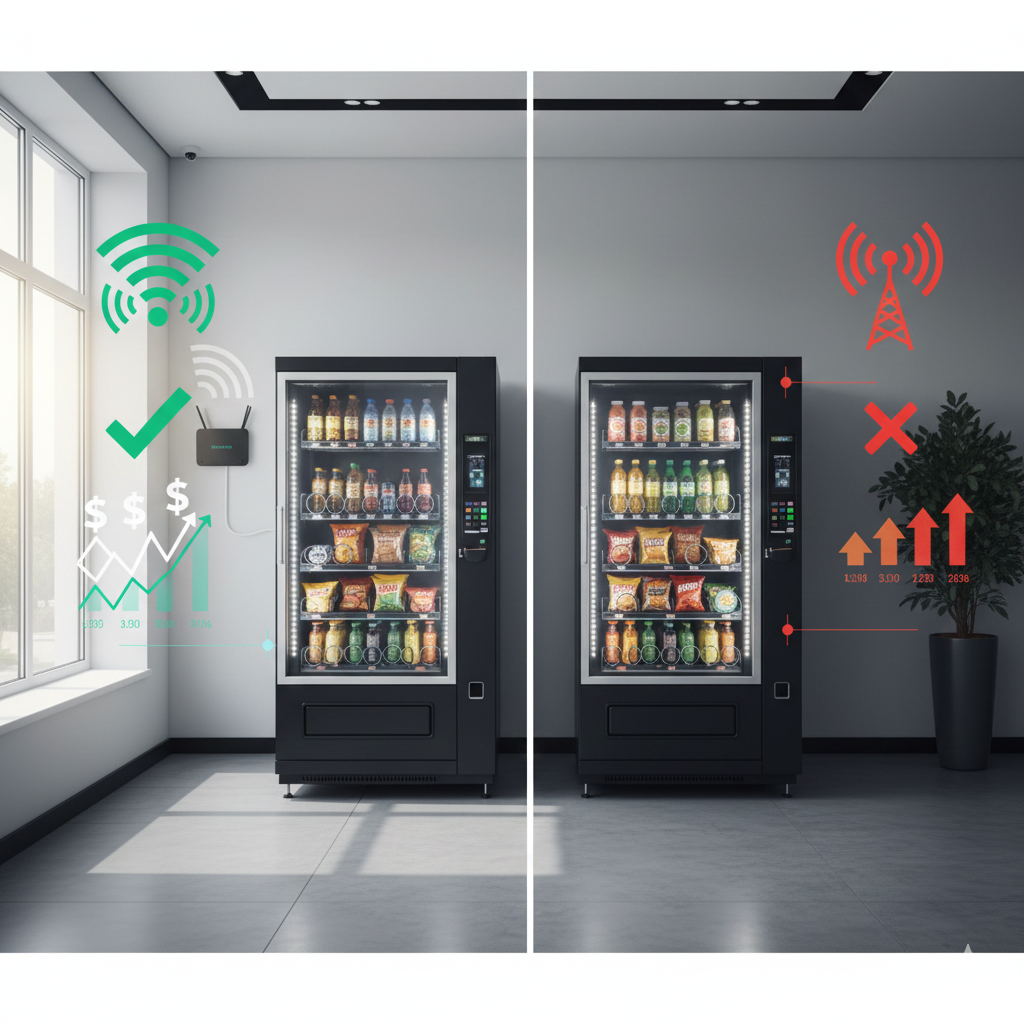
Every month, you’re making a choice about how your smart coolers connect to the internet. And if you’re using cellular data cards, you’re likely spending $15 per cooler, per month—money that could stay in your pocket with a simple switch to WiFi.
Here’s the reality: smart cooler wifi connectivity isn’t just about saving money (though $180 per cooler annually adds up fast). It’s about faster data speeds, more reliable connections, and fewer headaches when you’re trying to monitor inventory or pull sales reports. The technology you choose to connect your machines directly impacts how efficiently you can run your operation.
If you’ve been wondering whether WiFi is really worth the setup effort, or if cellular data cards are “good enough,” this article will walk you through exactly why WiFi connectivity wins on every metric that matters—and how to make the switch painlessly.
Your smart cooler is only as “smart” as its connection to the internet. Without reliable connectivity, you lose real-time inventory tracking, sales data syncing, remote temperature monitoring, and the ability to optimize your routes based on actual consumption patterns.
Think of your connectivity method like the plumbing in your house. You could run everything on a temporary garden hose setup (cellular), or you could invest in proper permanent pipes (WiFi). Both technically work, but one is far more efficient, reliable, and cost-effective long-term.
The three pillars of connectivity that impact your daily operations are:
Let’s break down how WiFi and cellular stack up against each pillar.
[IMAGE 1: Banner/Hero Image – smart cooler wifi connectivity comparison]
Let’s start with the most tangible benefit: money saved.
Cellular data cards typically cost $15 per month per smart cooler. This covers the data plan that allows your machine to transmit sales information, inventory levels, and operational data back to your management system. Over a year, that’s $180 per machine—just for the privilege of staying connected.
Now multiply that across your fleet. If you’re operating 10 smart coolers, you’re spending $1,800 annually on cellular connectivity alone. At 20 machines? $3,600 per year. That’s not a trivial expense, especially when you’re working to improve your margins and scale sustainably.
Here’s where it gets interesting: WiFi connectivity for smart coolers costs you exactly $0 in monthly fees if you’re placing machines in locations that already have WiFi networks—which describes the vast majority of modern offices, gyms, apartment complexes, and retail environments.
The location already pays for internet. Your smart cooler simply connects to their existing network (with permission, of course). No additional monthly fees. No data card charges. No recurring subscriptions.
“Switching from cellular to WiFi is like discovering you’ve been paying for bottled water when there’s a perfectly good tap right next to you.”
Even in locations without existing WiFi, adding a basic router costs $30-50 one-time, with no monthly fees if the location already has internet service. Compare that to $180 annually per machine, and you’re breaking even in the first month or two.
The math is simple:
Those are real dollars that could go toward expanding your route, upgrading equipment, or simply improving your quality of life as an operator.
Beyond cost savings, smart cooler wifi connectivity delivers significantly better performance than cellular alternatives. And in the vending business, performance translates directly to operational efficiency.
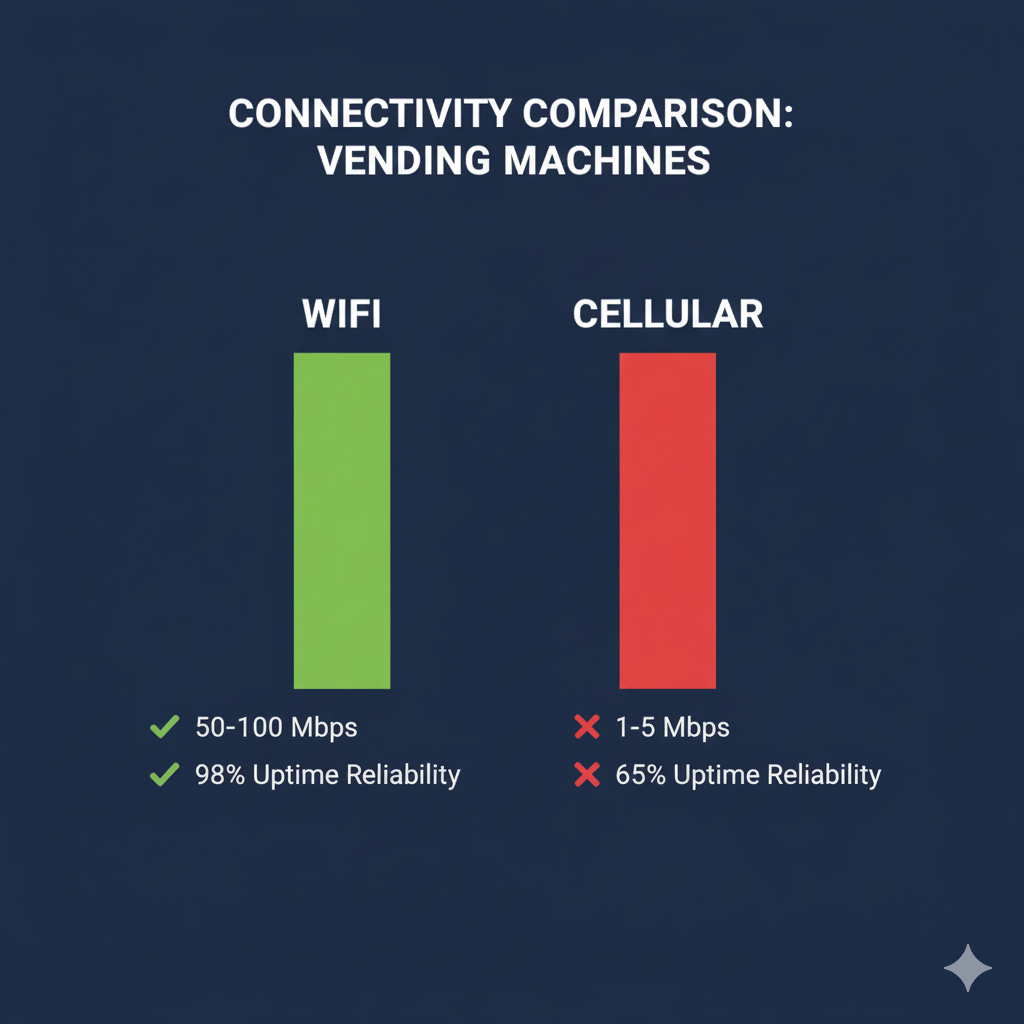
When you pull a sales report, check inventory levels, or troubleshoot a temperature alert, you’re relying on your smart cooler’s ability to transmit data quickly and accurately. WiFi connections typically deliver 10-100 Mbps speeds in commercial environments, while cellular data cards often max out at 1-5 Mbps—especially in buildings with poor cellular reception.
What does this mean practically? When you’re sitting in your car between stops trying to decide which machine to service next, WiFi-connected coolers give you real-time data in seconds. Cellular-connected machines might take 30-60 seconds to fully sync, or worse, fail to connect entirely if they’re in a basement location or building with thick walls.
Here’s something cellular providers don’t advertise: cellular signals struggle indoors. Concrete walls, metal structures, and underground placements (common in apartment complexes and office buildings) create dead zones where cellular connectivity becomes spotty or completely unusable.
A 2023 study by the Federal Communications Commission found that indoor cellular reliability drops by 40-60% compared to outdoor performance, with basement and interior locations experiencing even worse degradation.
WiFi doesn’t care about walls or building materials—it’s designed to work indoors. Once your smart cooler is connected to the location’s network, it maintains stable connectivity regardless of where it sits in the building.
Have you ever had to manually record sales data because your machine “lost connection”? With cellular, it’s frustratingly common. With WiFi, it becomes rare.
[IMAGE 2: Mid-Article – WiFi vs cellular performance comparison chart]
One common hesitation about switching to WiFi is the perception that it’s complicated or technical. Let’s clear that up: connecting your smart cooler to WiFi is no more complex than connecting your smartphone to a coffee shop’s network.
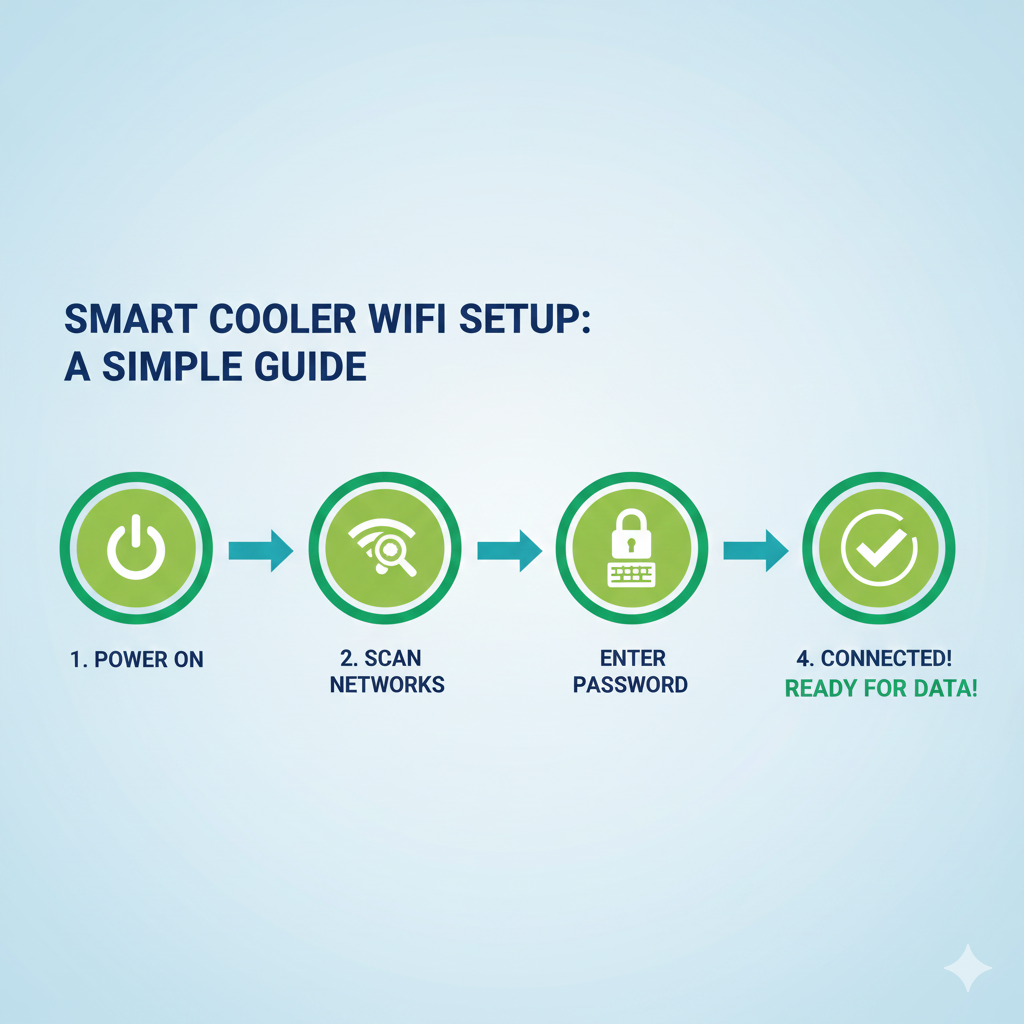
Most modern smart coolers come with WiFi capability built-in. The setup process typically involves:
That’s it. Total setup time: 2-3 minutes per machine.
Compare this to cellular setup, which requires:
The most important step is getting WiFi access from your location partner. In practice, this is straightforward because it costs them nothing and improves their service quality (your cooler works better, their employees/customers are happier).
A simple script that works:
“To keep your smart cooler running optimally and provide you with real-time inventory management, I’d like to connect it to your WiFi network. This won’t affect your internet speed at all—the cooler uses minimal bandwidth, roughly equivalent to a smartphone. Can I get your network name and password?”
In my experience placing hundreds of smart coolers, I’ve encountered WiFi access resistance less than 5% of the time. Most location partners appreciate that you’re making your service more reliable for them.
Here’s where smart cooler wifi connectivity becomes truly powerful for operators thinking about growth.
When you add a new cellular-connected machine to your route, you add $180 in annual recurring costs. Add 5 machines? That’s $900 more per year in connectivity fees alone—before you’ve sold a single product.
With WiFi, your connectivity costs stay at zero regardless of how many machines you add to WiFi-enabled locations. Your operational costs scale with actual business activity (restocking, maintenance) rather than artificial infrastructure fees.
This fundamentally changes your scaling economics. Instead of thinking “Can I afford to add more machines?” you’re thinking “Which high-traffic locations should I prioritize next?”
“WiFi connectivity removes the artificial ceiling on how quickly you can grow. Your limitations become physical logistics and capital equipment, not monthly fees that eat into margin before you even start.”
For operators planning to build a 50+ machine route, the difference is staggering. At 50 machines:
That’s $9,000 annually that stays in your business instead of going to a cellular provider.
Let’s tackle the most frequent objections I hear about wifi connectivity for smart coolers:
Fair question. If the location’s internet goes down, your smart cooler temporarily loses remote monitoring capability. But here’s the thing: your machine continues operating normally. It still accepts payments, dispenses products, and stores sales data locally.
Once WiFi comes back (usually within hours), all stored data syncs automatically. You lose visibility temporarily, but you don’t lose sales.
Contrast this with cellular: if the cellular signal is poor or non-existent (common in many indoor locations), you’re dealing with connectivity problems constantly, not just during occasional internet outages.
These are becoming increasingly rare, but they exist. For locations without WiFi, you have two options:
The key is choosing the right connectivity method for each specific situation, not defaulting to cellular everywhere.
Modern smart coolers use encrypted connections (HTTPS/SSL) regardless of whether they’re on WiFi or cellular. Your data is protected the same way. The transmission method doesn’t affect security—the encryption protocol does.
Most commercial WiFi networks also include basic security (WPA2 or WPA3 encryption), adding another layer of protection.
[IMAGE 3: WiFi setup step-by-step process visualization]
Ready to stop paying $15/month per machine and upgrade your smart cooler internet connection? Here’s your practical roadmap:
Calculate exactly how much you’re spending on cellular data cards monthly. Multiply that by 12 to see your annual connectivity expense. This is your baseline savings opportunity.
For example: 8 machines × $15/month = $120/month = $1,440 annually
Seeing the real number often provides the motivation to make the switch.
Review your route and categorize locations:
Most offices, gyms, apartment buildings, and retail spaces fall into the first two categories.
Use this simple framework when asking for WiFi access:
“I’m upgrading our smart cooler connectivity to improve service reliability for you. Can I get your WiFi network name and password? The cooler uses minimal data—about the same as a smartphone—and this helps me monitor inventory and respond faster when you need restocking.”
Emphasize the benefit to them: better service, faster response times, real-time monitoring.
For each machine, follow your manufacturer’s specific WiFi connection process (typically found in the machine settings or companion app). The general flow:
Document which network each machine connects to for future reference.
Don’t cancel all cellular plans immediately. Instead:
This staged approach prevents losing connectivity if any issues need troubleshooting.
That $180 per machine annually? Put it to work:
The point isn’t just saving money—it’s deploying those savings strategically to build a stronger, more sustainable operation.
Switching to WiFi isn’t just about cutting costs (though saving $180 per machine annually is substantial). It’s about building your vending business on a foundation of better performance, higher reliability, and more favorable scaling economics.
Every cellular data card you eliminate is $180 that stays in your business instead of enriching a telecom provider. Every WiFi-connected machine gives you faster access to the data you need to optimize routes, manage inventory, and make smarter decisions.
The setup is simpler than you think. The savings are larger than you might expect. And the long-term impact on your operational efficiency compounds over time.
Where will you start? Identify your highest-volume locations first—those are where reliable data connectivity matters most and where the performance upgrade will be most noticeable. Get those machines on WiFi, experience the difference, then systematically work through the rest of your route.
Your future self (and your bank account) will thank you for making the switch. The best time to optimize your smart cooler wifi connectivity was when you first installed your machines. The second best time is today.
If you want to learn how to save even more money with your vending operation, check out these posts:
5 Questions to Ask Before You Buy Another Vending Machine Course
7 Reasons Delegating Too Early Is the Most Expensive Mistake New Founders Make
Route Density In Vending: The Hidden Costs That Harm Operators